A remote you'll actually enjoy
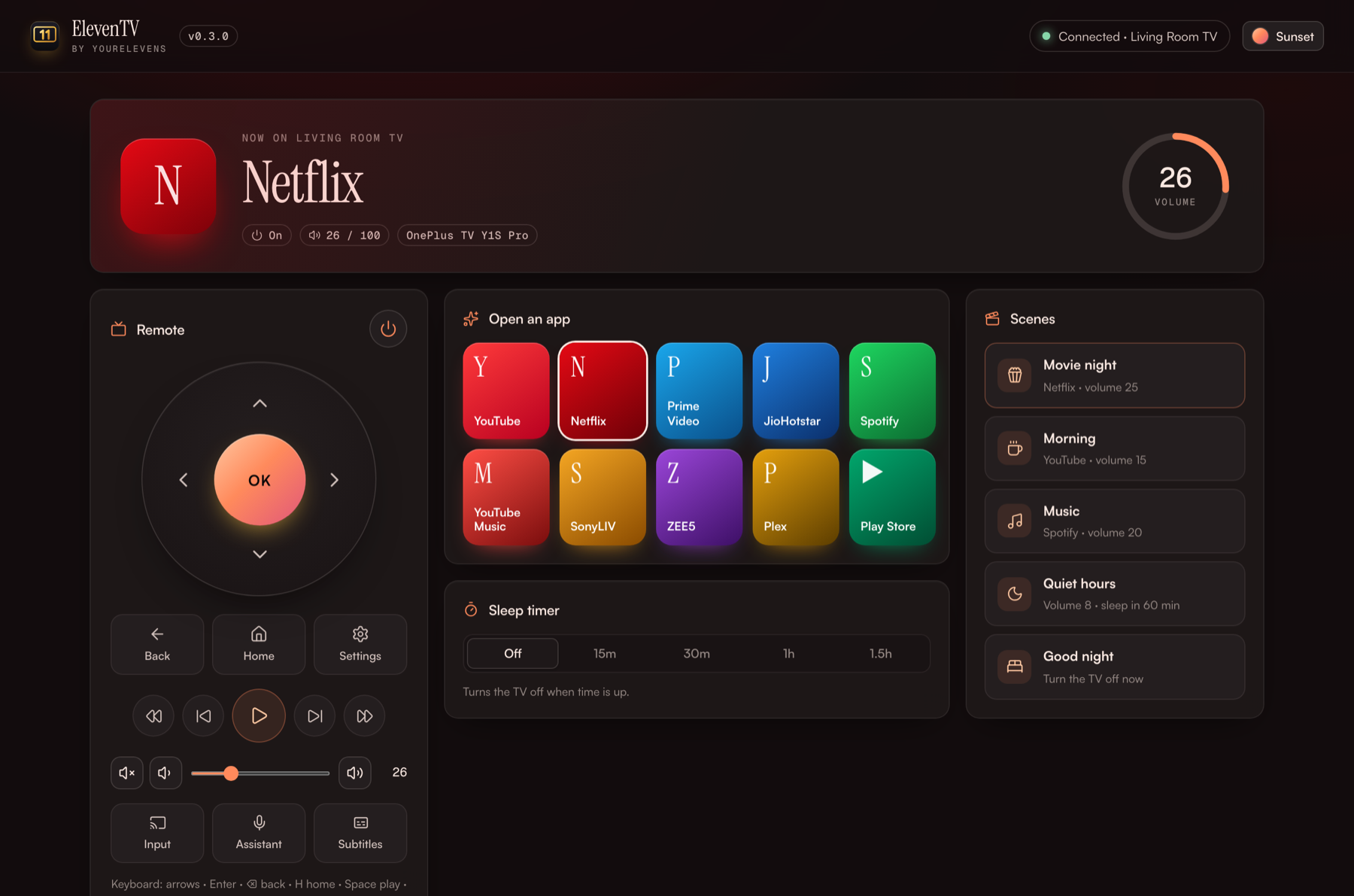
A big D-pad, Back, Home, play and pause, volume with a real slider, input switching, Assistant and subtitles. Your keyboard works too: arrows, Enter, Space and + / −.
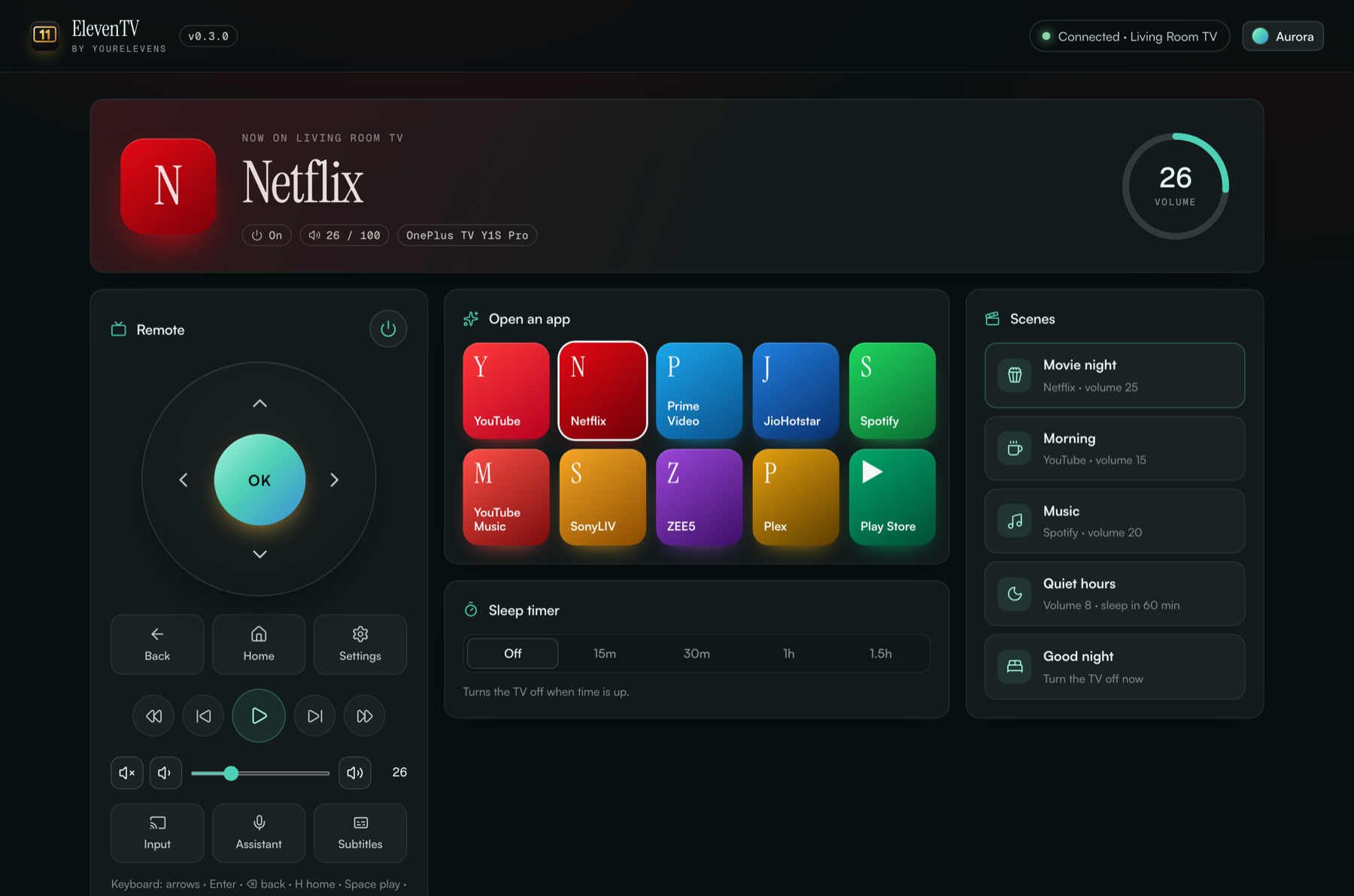
ElevenTV turns your laptop into a premium remote for your Google TV. Join the same Wi-Fi, type the code your TV shows, and you're in: remote, apps, volume, scenes and a sleep timer. No Google account. Nothing installed on the TV.

A big D-pad, Back, Home, play and pause, volume with a real slider, input switching, Assistant and subtitles. Your keyboard works too: arrows, Enter, Space and + / −.
YouTube, Netflix, Prime Video, JioHotstar, Spotify, SonyLIV, ZEE5 and more open straight away.
Movie night, Morning, Music, Quiet hours, Good night: one click sets the app and the volume together.
Fall asleep to a show. The TV switches itself off in 15, 30, 60 or 90 minutes.
Button presses reach the TV in milliseconds, and anything that changes on the TV shows up straight away, with no refreshing.
Press T for themes, or let them change with the time of day. The glow takes on the colour of whatever is playing, Netflix red or Spotify green.
It runs on your computer and talks only to your TV. There's no cloud and no account.
You need a Google TV or Android TV (OnePlus, Sony, TCL, Xiaomi, Hisense, Philips, Chromecast with Google TV…), and a Mac or Windows computer on the same Wi-Fi.
ElevenTV folder to Documents and double-click Start ElevenTV.command. The first time, right-click → Open → Open. It then runs quietly in the background and starts by itself when you log in.127.0.0.1:7611. Click Search my Wi-Fi, and your TV appears by name (e.g. "OnePlus TV"). Click Connect.At chrome://extensions turn on Developer mode, click Load unpacked and choose the same ElevenTV folder. One click on the toolbar button opens your remote.
The TV is probably in standby. Turn it fully on, wait 10 seconds and search again. Avoid "Guest" Wi-Fi, because it hides devices from each other.
The ElevenTV app isn't running yet. Double-click Start ElevenTV.command once. A browser page or extension can't reach the TV without it.
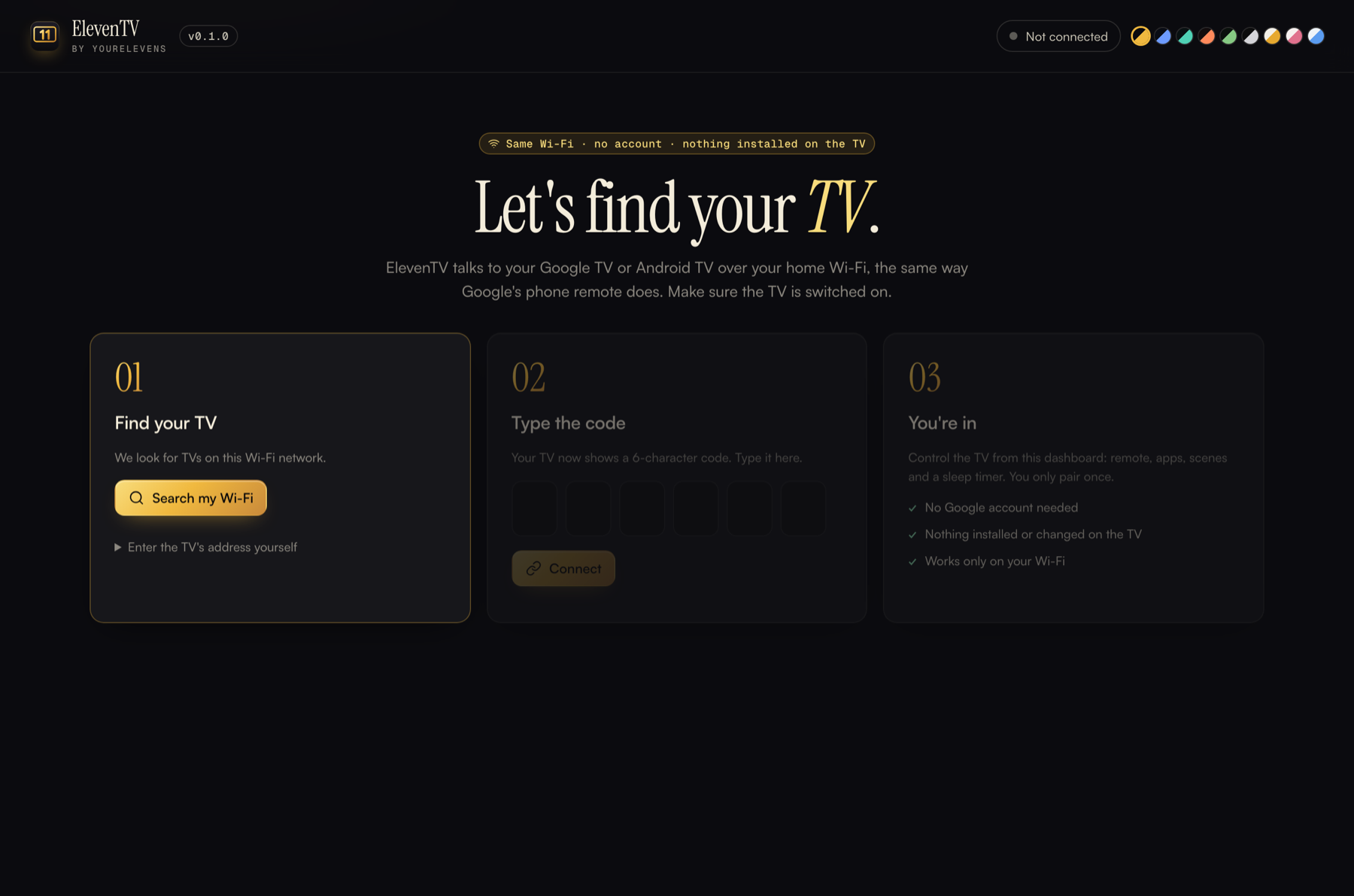
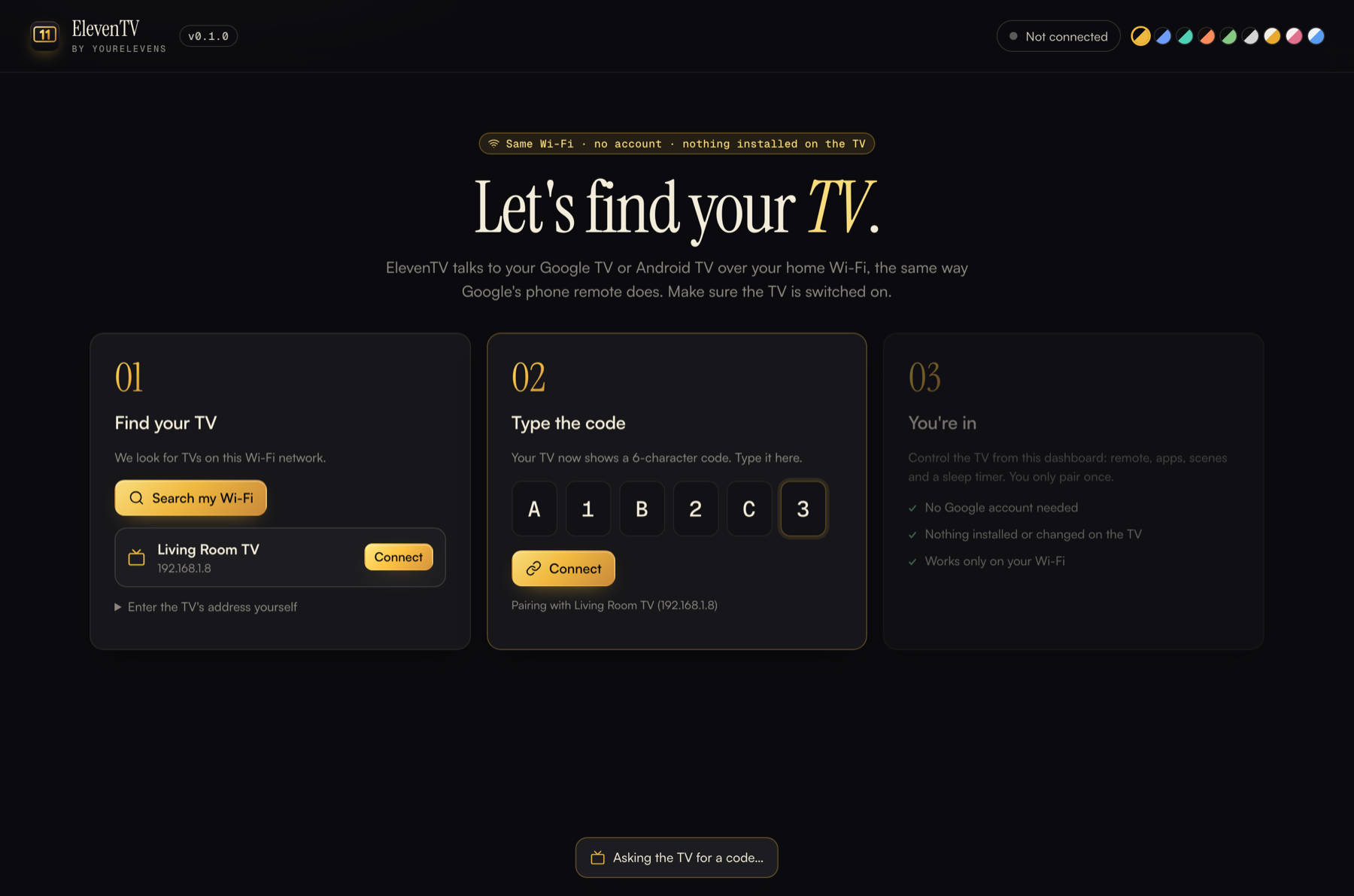
Start ElevenTV.command → Open → Open. You only need to do this the first time. If it asks to install "command line developer tools" (Python), click Install.Uninstall ElevenTV.command.Start ElevenTV.bat. If you don't have Python, install it free from python.org first.
ElevenTV pairs with the TV itself, not with a Google account. It works whoever is signed in on the TV, and it never sees or touches that account.
Version 0.1 controls your TV. The next step changes how it looks: a clean, ad-free ElevenTV home screen in your theme, plus brightness and picture presets. That needs one extra switch on the TV, and everything can be undone.
Your theme on the TV's home screen. The ad rows and sponsored apps are hidden. Brightness and picture presets get one-click buttons, where your TV allows it.
On the TV: Settings → System → About → press Build 7 times. Then go to Developer options and turn on Network debugging. ElevenTV guides you through it.
Nothing is uninstalled, only paused. One button puts back the original home screen and every app. A factory reset also restores everything.
You loaded an older download (v0.1.0) as an extension. ElevenTV is an app first: start it by double-clicking Start ElevenTV.command. Since v0.1.1 the same folder can also be loaded in Chrome as an optional toolbar button. Download the latest version and use that folder.
Google TV and Android TV, for example OnePlus, Sony Bravia, TCL, Xiaomi Mi TV, Hisense, Philips, Nokia, iFFALCON, Realme, and Chromecast with Google TV. Smart TVs on other systems (Samsung Tizen, LG webOS, Fire TV) aren't supported yet.
Yes. ElevenTV pairs with the TV over Wi-Fi using a code shown on the screen. It doesn't use, see or change the Google account on the TV.
Check the TV is on (not standby) and on the same Wi-Fi as your computer. On a Mac, allow "local network" access if asked. Guest Wi-Fi networks often block devices from seeing each other. You can also type the TV's address yourself: on the TV, go to Settings → Network & Internet → your Wi-Fi to find it.
If the TV is in standby with network standby enabled, the power button works. If it's fully switched off at the wall, nothing on Wi-Fi can wake it.
Not in version 0.1. Brightness and picture presets come with the Advanced mode, and depend on what your TV model allows.
Close the ElevenTV window to stop it. To remove it, delete the folder and the .eleventv folder in your home folder. On the TV you can also remove "ElevenTV" under Settings → Remotes & accessories.

Free, private and open source. From the makers of ElevenTabs.